At Hungry PC we strive to make your computing experience easier, and more understandable. Here we have collated various resources from our website into one easy to find location, to help you get the most out of your tech.
-
Free Linux Install on Any Compatible Laptop or Desktop, Step by Step
posted in: Tech Tips and Setup GuidesLinux Mint, Zorin OS or Ubuntu, installed free on any compatible renewed laptop or desktop. Here is exactly where to choose it on the…
-

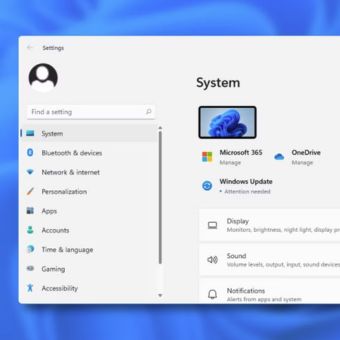
How to Speed Up a Slow Computer (Before You Give Up on It)
posted in: Tech Tips and Setup GuidesFree, easy fixes to speed up a slow Windows 11 computer, plus how to tell when it is smarter to upgrade to a faster…
-
How to Move Your Data to a New Windows 11 Computer (Without Paying a Technician)
posted in: Tech Tips and Setup GuidesThe easy, safe ways to move your photos, documents and files from an old computer to a new Windows 11 PC yourself, no technician…
-

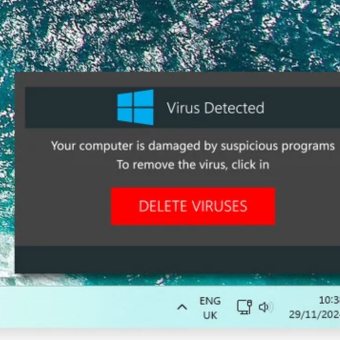
How to Stop Fake Virus Pop-ups and Notifications in Chrome
posted in: Tech Tips and Setup GuidesSeeing a sudden “Your PC is infected” warning pop up on your screen is terrifying. You might instantly think you need to throw the…
-
How to Change Your Username in Windows 11 to Personalize Your Device
posted in: Tech Tips and Setup GuidesYou just unboxed a lightning-fast Refurbished Laptop or a premium Office Desktop PC. You press the power button, the screen lights up, and the…
-

Internet Slow or Down? Troubleshoot Your Connection
posted in: Tech Tips and Setup GuidesThere are few things more annoying than when your internet goes down. Before you throw your modem out the window, take a deep breath!…
-
Computer Won’t Boot Up? Simple Steps to Get You Back in Action!
posted in: Tech Tips and Setup GuidesIt can be a bit unsettling when your desktop computer won’t power on, but don’t fret! More often than not, it’s a straightforward issue…
-
How to fix a Laptop that won’t turn on.
posted in: Tech Tips and Setup GuidesIt can be frustrating when your laptop won’t power on, but don’t worry! More often than not, it’s a simple fix that you can…
-
Increase your battery runtime in Windows 11 using Battery Saver & Power Modes
posted in: Tech Tips and Setup GuidesEver wondered how to adjust power management settings in Windows 11? You may not know this already, but you can very easily increase your…
-
How to attach the Stand to Dell AIO or Monitor
posted in: Tech Tips and Setup GuidesIf you’ve just unboxed your Dell OptiPlex All in One PC and need help attaching the stand, this setup video below is for you!…
-
What Size Laptop is Best, and How are Laptop Screen Sizes Measured?
posted in: Tech Tips and Setup GuidesOne of the most crucial aspects to consider when purchasing your laptop is the screen size. It’s not just about aesthetics as the screen…
-

What is the difference between Nvidia Quadro, RTX and GTX Cards?
posted in: Tech Tips and Setup GuidesWhen it comes to finding a laptop or desktop PC that can play games, and power through CAD design, Architecture, Video Editing or Photoshop,…
-

Your Ultimate Guide to Refurbished Laptops: Choosing the Right Processor, RAM, and Graphics for Your Needs
posted in: Tech Tips and Setup GuidesIf you are in the market for refurbished laptops or notebooks but feel overwhelmed by the jargon and technical specifications, we are here to…
-

Backup Your Data: Tips and Tools for Keeping Your Files Safe and Secure
posted in: Tech Tips and Setup GuidesHave you ever lost an important file, document, or photo due to a computer crash, Windows Reinstall or accidental deletion? If so, you know…
-

Step-by-Step Setup Guide: How to plug in your Computer
posted in: Tech Tips and Setup GuidesConnecting your computer to a screen, keyboard, mouse, power, and Ethernet is a simple process, but it can be overwhelming if you’re not familiar…
-

Refurbished Computers, Windows 10 or 11?
posted in: Tech Tips and Setup GuidesAre you looking to buy a refurbished computer and want to be running Windows 11? Or maybe you want to save money with a…
-
How to Reset your Windows 10 computer to Factory Settings
posted in: Tech Tips and Setup GuidesResetting your computer can be a helpful solution if you are experiencing major issues with it. However, it is important to understand that resetting…
-

How to Select or Change Microphone Output in Windows 10
posted in: Tech Tips and Setup GuidesWhen you are trying to use Skype, Zoom, Facebook Messenger or other Video Calling programs, you may find your Microphone does not work straight…
-

How to Connect your PC to WiFi
posted in: Tech Tips and Setup GuidesFor the majority of our desktop computers, we include a free USB WiFi dongle/adapter similar to one of those pictured below. This is included…
-
How to connect Monitor when using a Graphics Card
posted in: Tech Tips and Setup GuidesIf you have an additional Graphics Card upgrade fitted to your Desktop or Tower PC, you will find there may be two sets of…
-

Benefits of buying a Refurbished Laptop or Desktop Computer.
posted in: Tech Tips and Setup GuidesIf you’re looking for a great quality, cheap laptop or a powerful desktop workstation that won’t break the bank, you should highly consider purchasing…
-

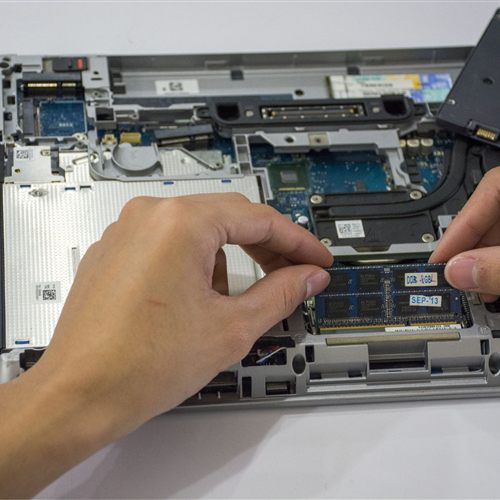
How to Upgrade your Laptop RAM like a Pro
posted in: Tech Tips and Setup GuidesUpgrading your RAM can be one of the simplest things you can do to improve your system performance. In this article we will show…
-

Keep a “Gadget Box” for all your important documents.
posted in: Tech Tips and Setup GuidesSometimes when we open that new gadget up, we rush to its electronic goodness and spend hours playing with it. But what happens to…
-

Spruce up your Desktop with a new Wallpaper
posted in: Tech Tips and Setup GuidesA good wallpaper can go a long way to personalizing your computer, and even making you feel better about using your machine. There’s no…
-

How to Securely Erase your Hard Drive
posted in: Tech Tips and Setup GuidesAre you thinking of purchasing a new computer? or simply just going to sell/give away an old machine? You may want to read this!…