
Every week we load systems with Linux for our customers, and it costs them no extra at all. Every compatible laptop, desktop and all-in-one on our site has a free Linux install option built right into the listing, so you can choose Linux Mint, Zorin OS or Ubuntu in a couple of clicks before you check out. This guide shows you exactly where to find it, with screenshots from a real listing, plus an honest rundown of what Linux is great at and what to keep in mind before you switch.
Which Linux distros can we install for free?
We offer the three Linux distributions we find suit the widest range of people, and all three are free and open source. If you’re new to Linux and not sure which one to pick, here’s how we’d explain them over the counter.
The same dropdown also has two non-Linux choices, which we get asked about almost as often. You can swap Windows 11 for Windows 10 on units that come with Windows 11, or have ChromeOS Flex installed, Google’s free version of ChromeOS for regular PCs. All of these changes are free too. If you’re weighing up the Windows versions, our article on Windows 10 or 11 on a refurbished computer is worth a read first.
How to order a laptop or desktop with Linux installed, step by step
We’ll walk through it on a real listing, a renewed Lenovo ThinkPad T14 (ThinkPads are a long-time favourite in the Linux world). The steps are exactly the same on any compatible laptop or desktop listing on our site.
Step 1. Open the listing you like
Browse our laptops or desktop computers and click into the machine you’re interested in. Every listing shows Windows in the title and photos, because that’s how it arrives by default. Don’t let that put you off. The Linux choice comes a little further down the page.
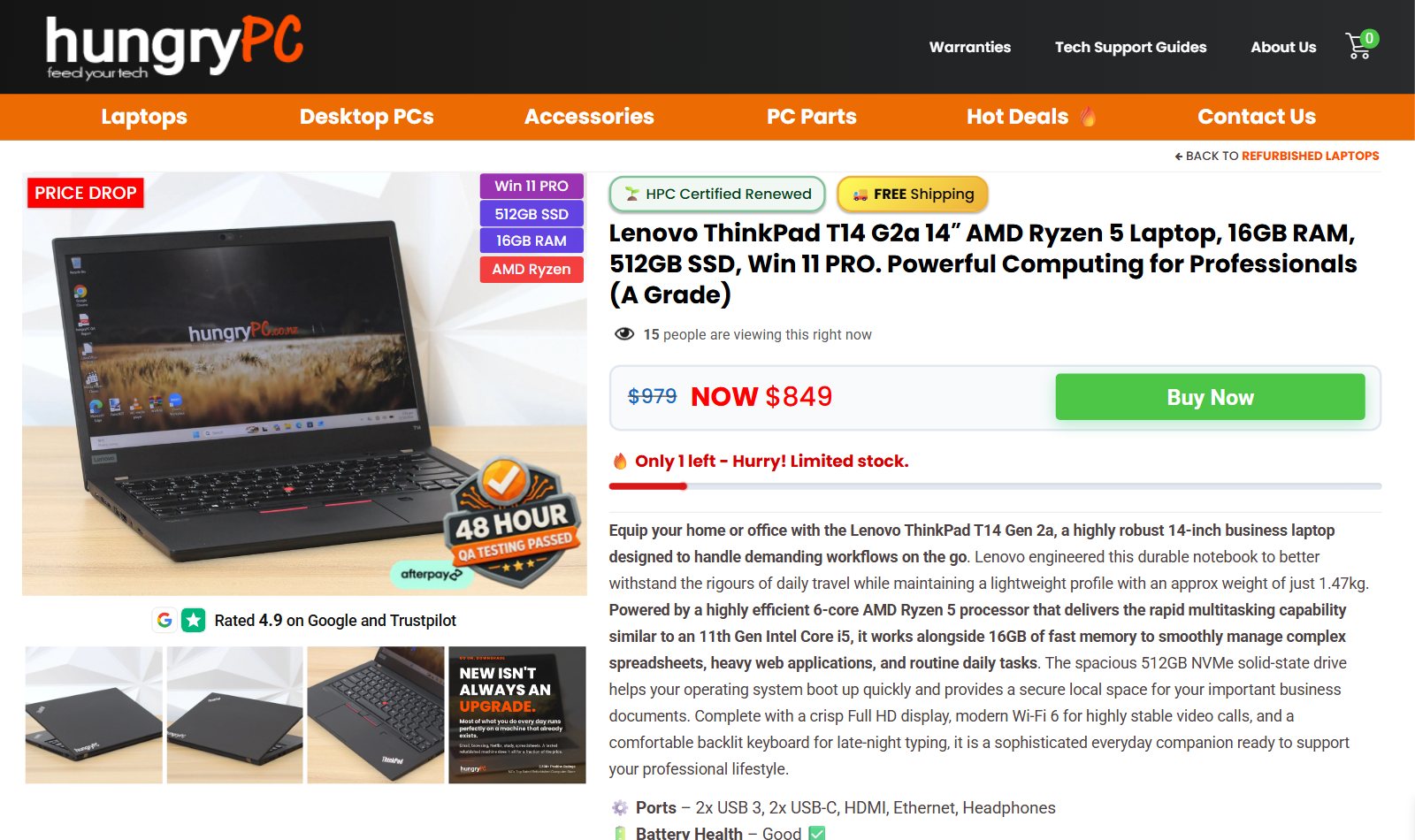
Our example machine, a renewed ThinkPad T14. Any compatible listing works the same way.
Step 2. Scroll down to Add Accessories / Upgrades
Scroll down until you see the orange Add Accessories / Upgrades heading (marked 1 below). On a computer it sits below the customer reviews, and on a phone it comes up straight after the product description. The second dropdown in that section is the one you want. It reads Operating System Loaded & Updated (FREE) (marked 2).
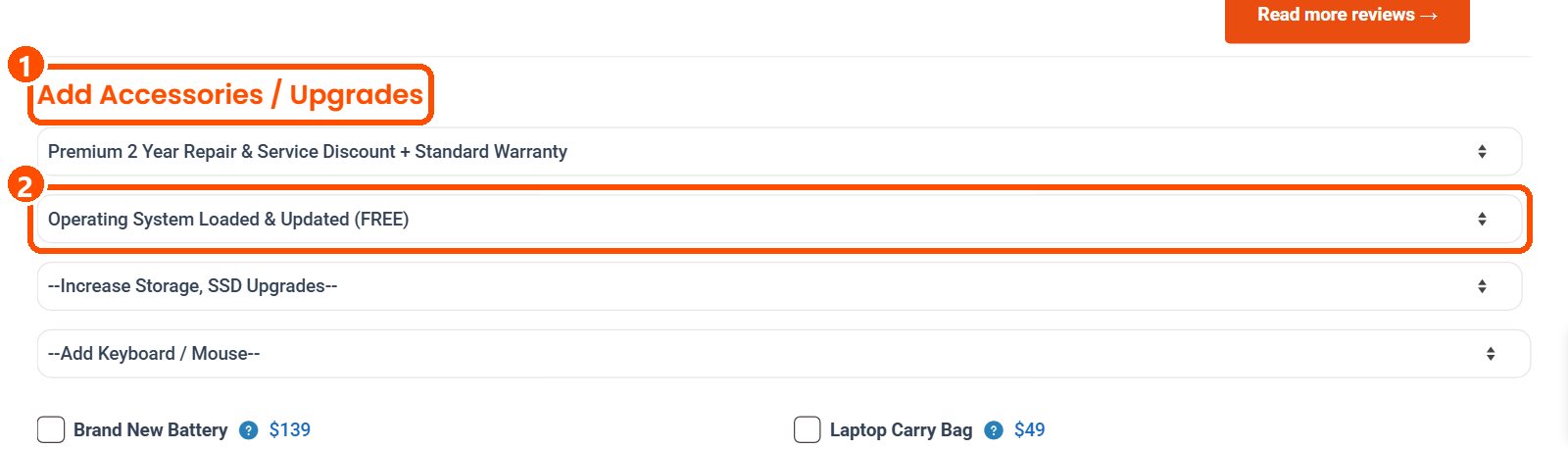
The upgrades section on a computer screen, with the operating system dropdown highlighted.
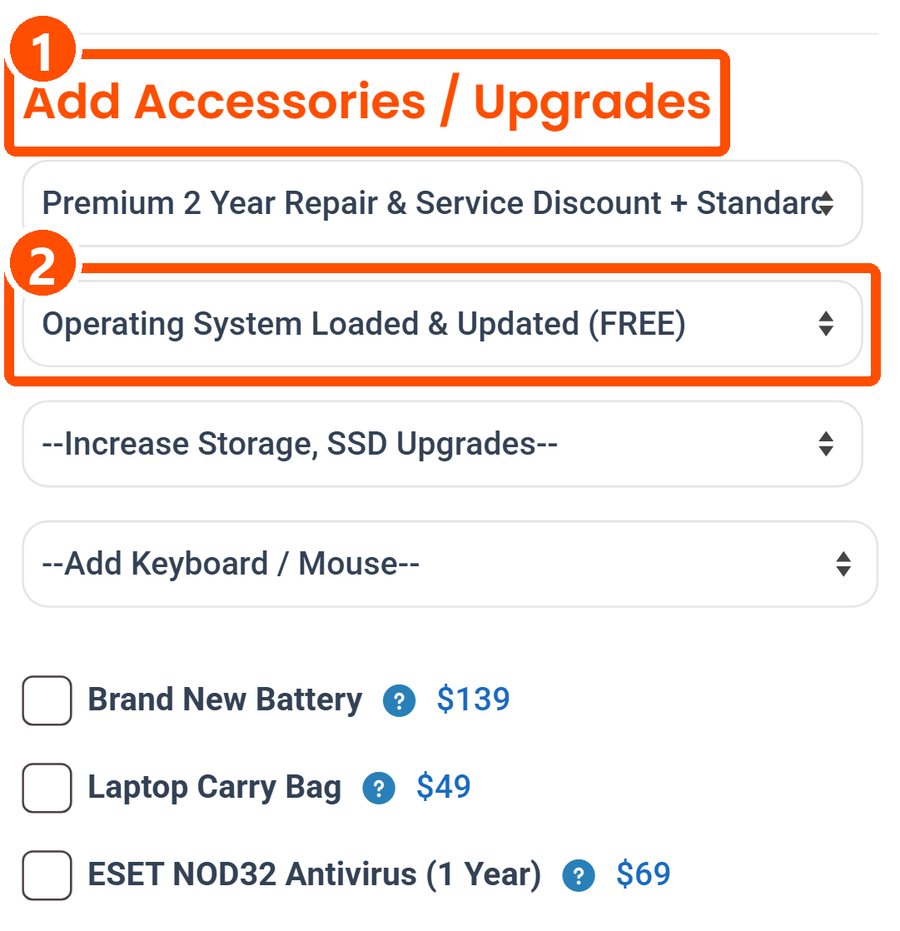
The same section on a phone, just below the product description.
Step 3. Choose Linux Mint, Zorin OS or Ubuntu
Tap or click the dropdown and the full list of operating system choices opens up. The three Linux options are highlighted below. Each one says Remove Windows OS (FREE), because we wipe the drive and give Linux the whole machine, so it runs as the only operating system. This is far better than dual-boot scenarios, which often fail due to Windows taking over the boot loader during updates. We will only ever install ONE operating system for this reason.
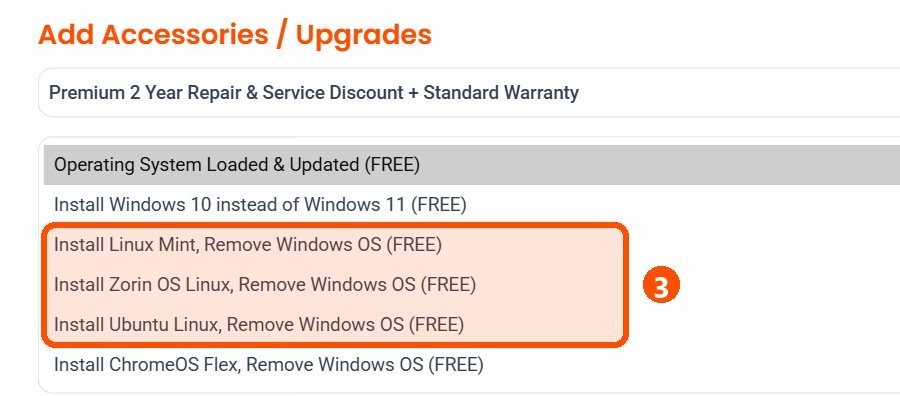
Every choice in the list is free, including Windows 10 and ChromeOS Flex.
Step 4. Check the note, then click Buy Now
Once you’ve picked a distro, a small blue question mark appears beside the dropdown. Hover over it (or tap it on a phone) and you’ll see a short note that the Linux option is at your own risk for driver and software support. We explain what that means further down, so please give it a read. Add any other upgrades you’d like, such as more storage or a wireless mouse, then click Buy Now and check out as normal. Your Linux choice travels with the order automatically.

Linux Mint selected, the risk note open, and the Buy Now button ready.
Step 5. We take it from there
Your machine then will be moved to our workshop to install your chosen distro fresh, with the latest security updates and drivers. The free install does add a little extra time to process your order, usually at most a couple of days if we are busy, so allow for that if you need the machine by a certain day. Your purchase always arrives ready to switch on and get started.
Which of our computers are compatible with Linux?
The simple test is the dropdown itself. If a listing shows the Linux options under Add Accessories / Upgrades, we offer the free install on that machine. Right now that covers most of our renewed business laptops, desktop PCs and all-in-ones, the Dell Latitude, HP EliteBook and Lenovo ThinkPad families included. These business-grade machines are usually a very good match for Linux, since big companies run Linux on the same models every day.
A few listings won’t show the option. Our Chromebooks run ChromeOS and stay that way, and some of our devices already ship with Linux Mint preloaded, so there’s nothing to choose. If you’d like extra reassurance before you buy, Canonical keeps a public list of Ubuntu certified hardware where you can look up many Dell, HP and Lenovo models.
Is Linux right for you?
For a lot of people, Linux is a great fit. It’s free, it’s light on resources, so even modest hardware feels quick, and it’s a popular choice for anyone who values privacy and control over their own computer. Web browsing, email, streaming, video calls and everyday documents all work well, and free office suites like LibreOffice run happily on it. It’s also the natural home for programming, servers and learning how computers really work. And since Windows 10 reaches end of support, plenty of people are looking at Linux as a modern, supported alternative to revive perfectly good hardware.
It’s worth being honest about the other side too. The desktop versions of Microsoft Office and Adobe Creative Cloud don’t run on Linux (the web versions of Microsoft 365 work fine in a browser), some specialist work and school software is Windows only, and while many games now run on Linux through Steam, some online titles with anti-cheat don’t. If you rely on any of those, Windows is probably the easier road. Every machine on our site comes with genuine Windows 11 by default, so you don’t have to change a thing if you want to play it safe.
Please read before choosing Linux
We want you to love your machine, so that note isn’t there to scare anyone off. It’s simply how Linux works. There’s no single helpdesk behind it, but there are huge, friendly communities who have usually solved your exact question already. Warranties do not cover software, so if you need your operating system changed back to Windows at a later date, this would be a service job covered under our repair discount program.
Where to get help with Linux
Each distro has its own official community, and searching your laptop model plus the problem (for example “ThinkPad T14 webcam Linux Mint”) usually turns up an answer fast. These are the best places to start.
- Linux Mint help lives on the Linux Mint Forums.
- Zorin OS users can ask on the Zorin Forum.
- Ubuntu has Ask Ubuntu for questions and answers, plus the official Ubuntu Discourse community.
- ChromeOS Flex is covered by Google’s own ChromeOS Flex help pages, including its certified models list.
Want a different distro like Fedora, Debian or Pop! OS?
Linux comes in hundreds of flavours, and the dropdown keeps things simple with the three we find most people are happiest on. If you have your heart set on something else, such as Fedora, Debian, Pop! OS, elementary OS, MX Linux, Manjaro, openSUSE, Arch Linux, or an Ubuntu flavour like Kubuntu or Xubuntu, the good news is that most of them install from a USB stick in under half an hour. People who want those distros are usually comfortable installing them, and our business machines will normally boot from USB without any fuss. Many distros also share the same Ubuntu or Debian roots as our three, so hardware that runs well on one usually runs well on its cousins. We are happy to look into installing these other options for you, but you’ll have to reach out to our team via Email first.
Business-grade laptops and desktops, 48-hour QA tested, with warranty and NZ tech support included. Pick your distro on the listing and we’ll do the rest.
Browse renewed laptops