
Type “are refurbished laptops worth it” into Google and you’ll mostly find vague reassurance written by people who have never opened a laptop in their lives. We renew computers for a living, so we’ll give you the real answer instead, with the numbers, the honest downsides, and a look inside the process itself. By the end you’ll know exactly when refurbished is the smart buy, and when it isn’t.
What refurbished actually means, and what it doesn’t
The word refurbished gets thrown around loosely, so let’s pin it down. At minimum, a genuinely refurbished laptop has been through a documented, methodical process. Someone has physically opened it up, cleaned it inside and out, tested every component, replaced or upgraded what needed it, secure erased the drive, installed a fresh operating system, installed all updates and drivers then put a warranty behind the result. A second-hand laptop from a marketplace listing has usually been through none of that. It’s the previous owner’s machine, in whatever state they left it, with whatever is dust and debris are living in the fan, or worse.
Where the machines come from matters just as much. Nearly everything we renew started as healthy, working ex-lease business stock. Companies lease fleets of Dell Latitudes, HP EliteBooks and Lenovo ThinkPads for around three to five years, then hand them back in various conditions, many that are perfectly functional, some with hardly any use at all. These are machines that were built for IT departments, maintained by IT departments, and used for spreadsheets, documents and email, often with most of their life in air-conditioned offices. They’re a completely different starting point from a five-year-old consumer laptop that’s lived through a household, or tossed around in a school bag. Better yet, they’re never the typical imported e-waste devices, warranty returns or insurance damage claims that’ve been “fixed” on the cheap, to flip for maximum profit.
| What you’re getting | Private sale or “flipped” | Properly renewed |
|---|---|---|
| Testing | “It turns on and boots” | 48+ hours, real functionality tested |
| Battery | Unknown, hope for the best | Runtime tested and graded |
| Operating system | Previous owner’s leftovers | Fresh Windows, clean & up to date |
| Warranty | Usually None | 6 months minimum, plus local NZ support |
| If something goes wrong | You own the problem | Local NZ workshop fixes it |
Inside a real refurbishment, the 48-hour process
This is the part that makes all the difference for performance and longevity, and it’s exactly why the two columns above are such different products. Every machine that comes through our NZ workshop goes through the same renewal pipeline, and none of it is optional. It takes a minimum of 48 hours per machine, most of it hands-on or under active testing.
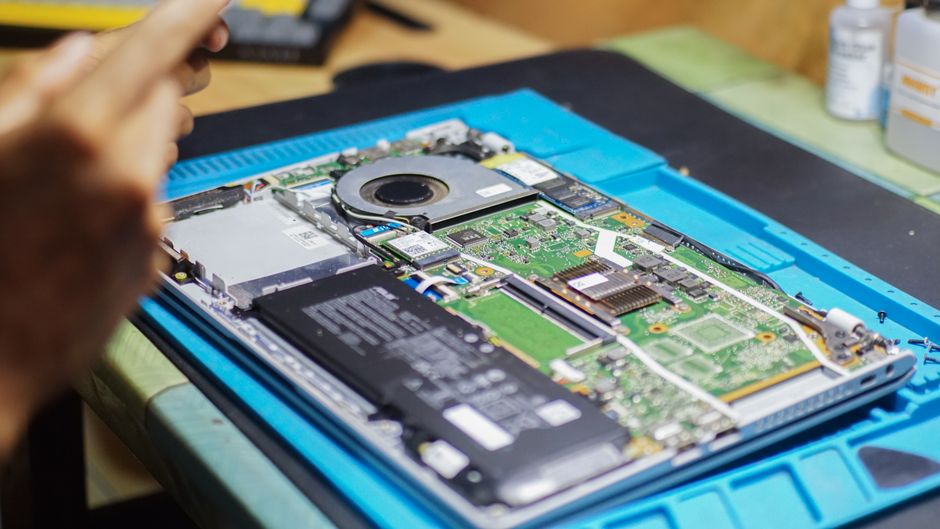
Every machine is opened, cleaned, upgraded and tested inside and out before it earns a listing.
The maths on new versus renewed
Here’s the bit that surprises people. For everyday work, the performance gap between a renewed business laptop and a new one is far smaller than the price gap. An 8th-generation Core i5 with a fast SSD and 8GB of RAM handles email, browsing, Office, video calls and study without issue, and that machine costs under $500 on our shelf right now. A new Latitude starts at over $2,800 on Dell’s own NZ store. Same family, same job, a fraction of the money.
| The comparison | New business laptop | Renewed at hungryPC |
|---|---|---|
| Price today | From about $2,800 (new Latitude, Dell NZ) | $449 to $529 (renewed Latitude 5400) |
| Everyday performance | Handles office, web and study easily | Handles the same work just as easily |
| Depreciation | Steepest drop happens in the first year, on your dime | Already absorbed by the original corporate buyer |
| Windows 11 support | Yes | Yes on all 8th Gen+ Models |
| Cover if something fails | Manufacturer warranty, often handled offshore | 6 months minimum, and a local NZ workshop |
And that’s the mid-range covering day-to-day laptops. Our cheap laptops and clearance range starts even lower, typically at $249 for student Chromebooks. The same affordable logic applies to desktops and towers, with renewed desktop PCs often giving you even more grunt per dollar because you don’t have to pay for a battery or laptop portability. If your machine lives on a desk, a renewed ex-lease tower plus a cheap monitor is often the best value for anyone needing a reliable computing solution.
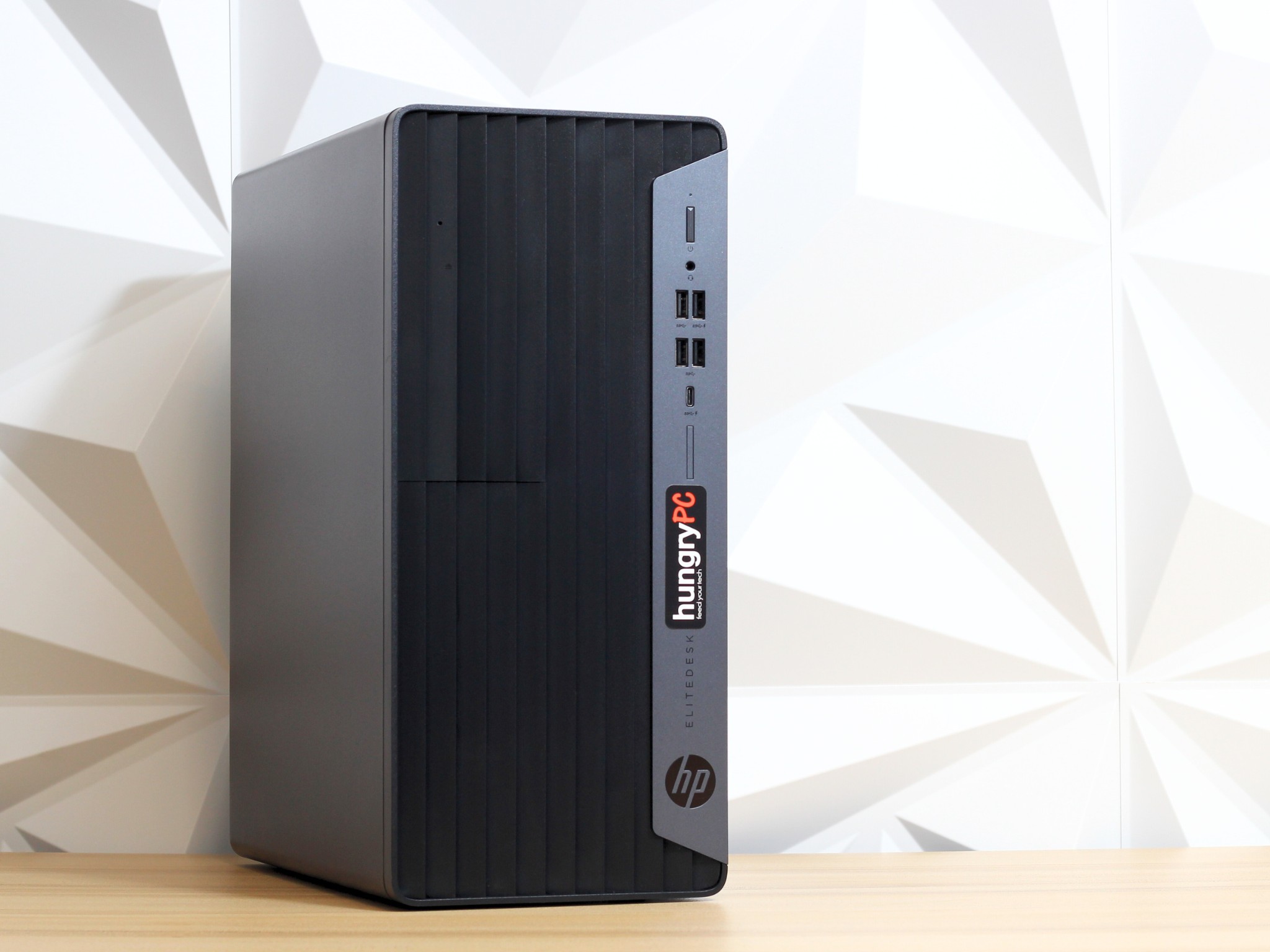
No battery to age and less moving parts to wear. A renewed tower like this EliteDesk offers some of the most durable value for desk use.
The honest downsides
If we only listed the good bits you’d be forgiven for being sceptical, of course it is not brand new, so there are a few things to think about.
Batteries wear, full stop. Every laptop battery on the planet loses capacity with age, new or used, it does not matter. A used machine has a used battery. This is the number one honest limitation of any refurbished laptop. It’s also why we refuse to guess. Every laptop we renew goes through a real timed rundown test, the battery earns a runtime grade, and that grade is printed on the QA report that ships with the machine, and clearly detailed in the product description. If a battery isn’t good enough to give you some portability, it gets replaced before we even list it for sale. You know what you’re getting before you pay, which is more than a “battery health unknown” or a vague “80% health” claimed listing can say. We see laptops daily that have 80% or more battery health that won’t even last 10 minutes due to failed cells, instead of reporting an estimate we ensure you get a device that truly meets a real world grade.
Cosmetic wear is real. These machines went to work for several years, and many of them show signs of being pre-loved. A few light marks on a lid change nothing about how a laptop performs, but you should know what you’re buying, so we grade condition plainly and honestly. If it has exceptional wear and tear that we think most people would consider excessive, it’s listed as a B-grade. Our condition guide shows exactly what each grade means, and we clearly note the graded condition in the title and product description.
The tech is a few generations behind. You won’t get this year’s latest and greatest processor, or a bleeding-edge gaming graphics card. What you will get is a proven, reliable platform that was built to a corporate durability spec, and a higher end device that was often designed with some of the best components in their day, meaning these devices still complete everyday tasks without complaint, and still offer a fantastic, smooth and enjoyable computing experience. For email, browsing, Office, study and video calls, the difference is negligible. For high-end gaming you’re often limited to a brand new device to keep up with the latest graphics, however even refurbished gaming machines can make an affordable starting point, especially for older titles or for kids and casual gamers wanting to play esports or use lower settings to get the most bang for buck.
The warranty, and who actually stands behind it
A warranty is only as good as the workshop behind it, and the service they truly deliver. We highly suggest reading reviews on independent platforms such as TrustPilot or Google before buying. Our warranty is a minimum six months on every machine, selected listings carry a twelve month upgrade, or you can often opt to extend your warranty. Any claims come back to our own NZ workshop rather than an offshore depot. Buying from us also gets you half-price labour on any servicing or repairs for two years to say thanks for being a valued customer. We can offer a true, honest and fair service because we tested the machine ourselves and we always back our own work, after properly refurbishing these devices, we know them inside and out.
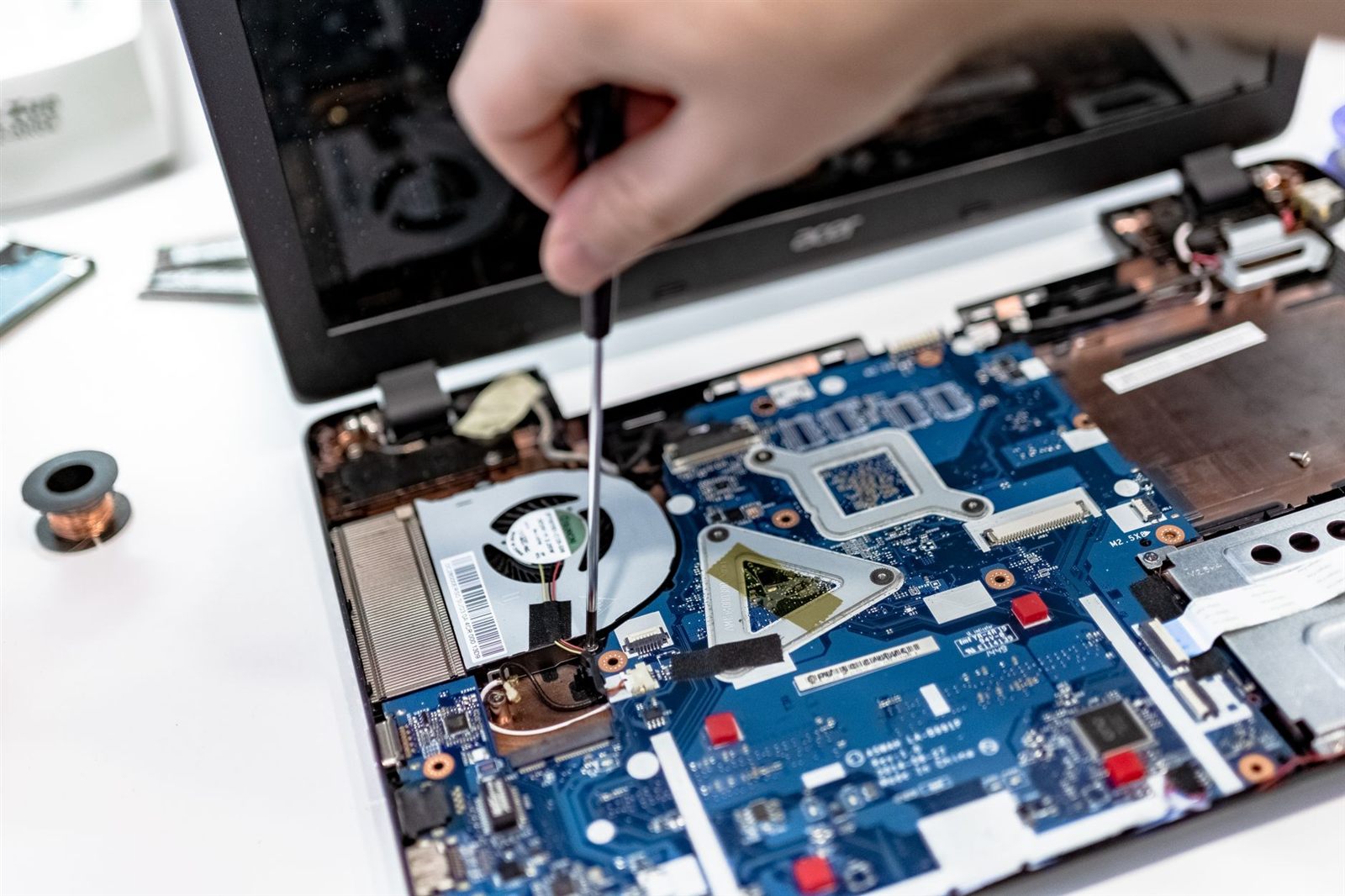
Return-to-base means it comes back to this bench, with a fully qualified tech, not an offshore depot.
There’s one more difference worth knowing. When you buy from an NZ business, consumer law applies to the sale and warranties come standard. Buy privately off a marketplace listing and well, it mostly doesn’t. The difference in buying a used device from someone second hand vs a properly refurbished one from a real business, offers you a safety net rather than a handshake.
Red flags to watch for
Not everything sold as “refurbished” has been refurbished in our eyes. A quick wipe with a rag, a basic Windows install and a stock photo for a website listing is a flip, not a renewal. Before you buy from anyone, look for these things.
- No warranty offered, or reviews that show poor after-sales service. A seller who won’t stand behind a machine they sold is often telling you something, listen.
- No evidence of testing. “Works good” or “We tested it” is usually just a vibe. An extensive testing process you can read about, and a detailed physical report that ships with the machine, is what sets apart an e-waste flipper from a proper refurbishment outfit. Don’t settle for a few bullet point “tests”, anyone can tell if a computer turns on or not.
- Battery health % claims. If a listing doesn’t mention battery condition, with an indication of its real runtime, or only lists a software percentage, assume the seller didn’t check its real-world duration and it could have faulty cells and potentially zero real battery life.
- Lowest prices are not often best value. It costs less to do less. Proper testing, technician time, upgrade components and genuine parts cost real money. A proper business also has a reputation, tax and warranty obligations. A random account selling devices has none of these, and those who do very little, can easily undercut on price, and ultimately service, performance and longevity.
- Vague or missing specs. A serious seller tells you the exact CPU, RAM, Storage and condition grading with transparent, real information that helps you make an informed decision. Don’t gamble with your next purchase.
- Incompatible Hardware disguised as being upgraded. There are many sellers loading Windows 11 on devices that do not meet the minimum requirements from Microsoft (Windows 11 requires 8th Generation or newer). Whilst this often can be done with bypasses and may work fine today, we believe you should fully understand what you’re getting, and always make it clear what your machine truly supports. An unsupported CPU leaves you with a much older device that may face a much sooner retirement, or stop working on that version all together, without warning. We generally suggest that bypassed upgrades be left for tech enthusiasts who don’t mind the risk of it needing manual updates or retirement in the near future.
Who should buy refurbished, and who honestly shouldn’t
Renewed business machines offer exceptional value and are the right call for typically anyone with a standard day-to-day use case, such as studying, home use, web browsing, office work, and businesses fitting out their staff desks without burning excessive capital. If your computing life is browsing, email, documents, study, streaming and video calls, almost any of our renewed machines will do everything a new one does, for a lot less. If you’re looking for high performance, or are a creative such as a photo editor, CAD designer, or even a gamer we have higher end options to suit as well. Have a look at our refurbished tech buyers guide if you want a hand narrowing down the right machine.
Buy new instead if you genuinely need the very latest, fastest, most cutting-edge performance, serious gaming graphics with the highest framerates, or the absolute latest hardware features that you can’t find in a refurbished device. If you’re in an environment where every millisecond counts, that’s when a new device is usually the only path forward. That’s the real advice we would give even to a friend or family member. Selling someone the wrong machine is how you lose a customer for life, and we’d rather keep you and find the best solution to meet your needs. For high-end use case scenarios, we offer a range of custom-built brand new computers to suit.

Browsing, email, study and the office at home. This is the work most computers actually do.
Renewed laptops and desktops, 48-hour QA tested, warranted, and supported right here in NZ. Laptops from $249.
Browse renewed laptops